
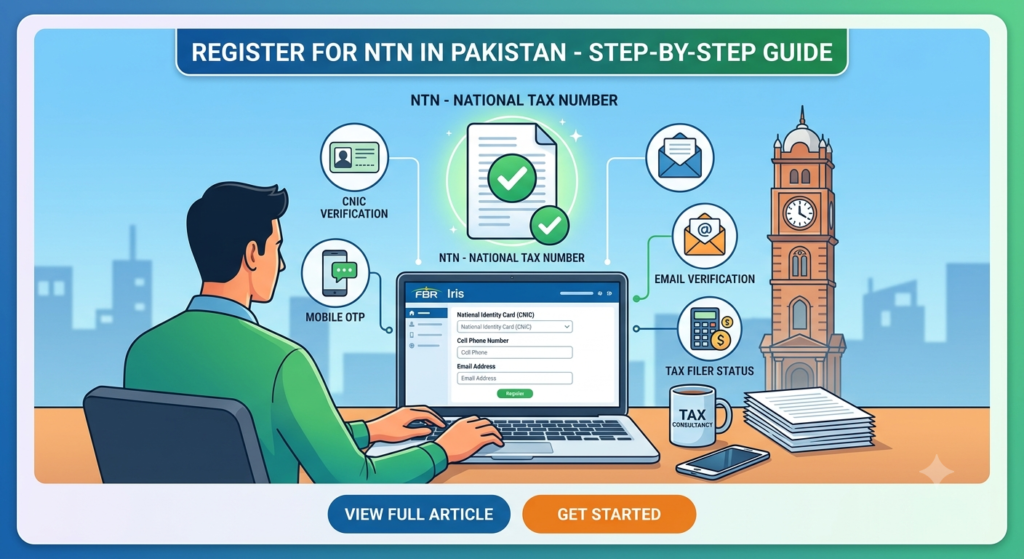
Registering for a National Tax Number (NTN) with the Federal Board of Revenue (FBR) is essential because it serves as the crucial first step toward becoming an active taxpayer in Pakistan. Whether you are a salaried professional, a freelancer, or running a business, obtaining an NTN opens doors to major financial benefits. Consequently, you will enjoy significantly lower withholding tax rates on banking transactions, property purchases, and vehicle registrations.
Fortunately, you no longer need to stand in long queues or pay heavy agent fees. Instead, the entire process can now be completed smoothly from home by using the FBR Iris portal.
Below is a clear, step-by-step guide explaining exactly how to register for your NTN online today.
Prerequisites: Documents You Need Before Starting
Before logging into the portal, however, you should make sure that all required credentials are ready at hand. Specifically, you will need the following information:
- Valid Computerized National Identity Card (CNIC)
- Active Mobile Number (Furthermore, it must be registered under your own CNIC)
- Active Email Address
- Proof of Business or Employment (For instance, a recent salary slip, employment letter, or a utility bill listed under your name)
- Bank Account Details (Including your official bank name and IBAN)
Step-by-Step Guide to Online NTN Registration via FBR Iris
To ensure a successful application, follow these sequential steps carefully:
1.Access the FBR Iris Portal:Step 1.
First, navigate to the official FBR Iris portal at iris.fbr.gov.pk. Next, locate the main landing page and click directly on the “Registration for Unregistered Person” button to begin.
2.Fill Out the Basic Registration Form:Step 2.
As soon as the registration form appears, proceed by entering your basic personal information:
- Select your appropriate Prefix (e.g., Mr., Ms., Mrs.)
- Type in your full name across the First Name, Middle Name, and Last Name fields
- Carefully enter your CNIC or NICOP Number
- Choose your Mobile Provider and enter your Cell Phone Number (for example,
00923001234567) - Lastly, enter your primary Email Address
3.Verify via SMS and Email OTP:Step 3.
After submitting the basic form, the FBR system will automatically generate two distinct One-Time Passwords (OTPs):
- First, an OTP code will arrive on your Mobile Phone via SMS
- Meanwhile, a second OTP code will be sent to your Email Inbox
Therefore, enter both verification codes into their respective input fields and click Submit to verify your identity.
4.Log In with Your Credentials:Step 4.
Once your OTP verification is successful, FBR will immediately send your temporary Password and PIN through SMS and email.
Subsequently, return to the main login screen and sign in by using your CNIC as the User ID alongside the password you just received.
5.Complete Form 181 (Modification / Registration):Step 5.
After logging into your account dashboard, navigate through the system by taking these actions:
- First, open the Drafts tab or locate Registration within the main top menu.
- Next, select Form 181 (Form of Registration filed voluntarily for Income Tax).
- Then, click Edit to open the full application layout.
- Afterward, fill out all required tabs:
- Personal / Basic Info: Verify that your details transferred correctly.
- Property / Address: Add your residential details, including property ownership type and utility consumer numbers.
- Business / Employment: If you are employed, add your employer’s details. Alternatively, if you own a business, enter your business title, main activity, and physical address.
- Bank Account: Finally, record your primary bank name and IBAN.
6.Submit the Application:Step 6.
Before finalizing the process, double-check every tab to ensure complete accuracy.
- First, click Save on the top action bar.
- Second, enter your official 4-digit PIN code provided during your account creation.
- Finally, click Submit. As a result, your official NTN will be generated almost instantaneously.
How to Verify Your NTN Status
Right after submitting your application, you can easily verify that your registration was successful by following these quick steps:
- First, head over to the FBR Taxpayer Verification Portal.
- Next, choose Active Taxpayer List (Income Tax) or select NTN Inquiry.
- Then, enter your CNIC Number along with the security captcha code shown on screen.
- Ultimately, click Verify to view your active NTN status, registered title, and profile details.
Individual NTN vs. Business NTN: Key Differences
To help you understand how tax profiles differ, here is a quick side-by-side comparison:
| Feature | Individual / Salaried NTN | Business NTN |
| Primary Requirement | Personal CNIC along with salary proof | CNIC, official business letterhead, plus a commercial utility bill |
| Main Purpose | For standard tax filing by employees and freelancers | Specifically for operating a sole proprietorship or partnership |
| Tax Processing | Linked directly to your personal income | Requires explicit business activity tagging under Form 181 |
Important Note: Even if you start as a salaried individual and later decide to open a business, you do not need to create a brand-new NTN. Instead, you simply update your existing profile by adding your new business title directly inside Form 181 on the Iris portal.
Major Benefits of Becoming an Active Tax Filer
Because holding an active NTN and filing tax returns offers widespread financial perks, becoming a filer is highly recommended. For instance, you will enjoy:
- Lower Bank Cash Withdrawal Taxes: Significantly reduced withholding taxes on daily banking activities and large cash withdrawals.
- Property Purchase Savings: Substantial savings of up to 50% on advance taxes when buying or transferring real estate.
- Vehicle Import & Registration Discounts: Reduced token taxes and registration fees when purchasing new or imported cars.
- Financial Credibility: A clear, active tax record makes securing business loans, applying for international visas, and opening merchant bank accounts far easier.
Ready to File Your Annual Tax Returns?
Remember, acquiring your NTN is merely the starting point! To continuously maintain your “Active” status on the official FBR list, you must regularly file your Annual Income Tax Return prior to the deadline each year.